 WunderKids
Turning
any
screen time into learning time
We don't block screens — we turn them into a moment of growth, right before the next video, just before the next game.



Sound familiar?
“Five more minutes” turns into another fight.
Turning off the phone shouldn't be the hardest part of your day. Here's what happened when real families tried something different.
“The idea is amazing - I absolutely loved it! Please sign Ella up for the next pilot.”
Showing testimonial 1 of 5, from Yafit H..
How it works
Pick the apps
Choose which apps on your child's phone need to be “earned” — games, video, social. Everything else stays free.
They answer a few questions
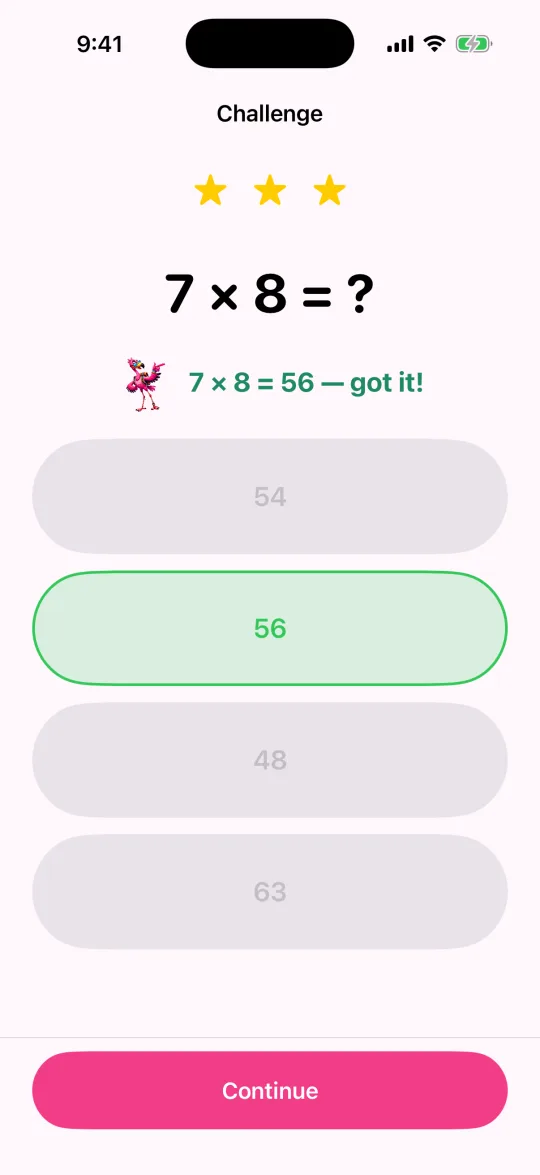
Opening a gated app shows a short, friendly challenge first — math to start, more subjects coming. 30 seconds, not a lecture.
Play time unlocks
Get it right and the app opens for the stretch you chose — then the next challenge comes round. No app, no negotiation, no nagging.
Care, not control
Phones are part of growing up now. Fighting that turns every evening into a negotiation, and turns you into the enemy of a device your child will keep using for the rest of their life.
So we don't block screens. We put a small, good habit in front of them: a few questions before the game, every day. Small enough that no child refuses, often enough that it adds up — and the reward is the thing they already wanted.
The habit belongs to your child. Your part is the plan: which subject, which hours, when the day ends. That is care, not control — and it rebuilds a little trust in a device that usually takes attention rather than giving something back.
Inspired by James Clear's Atomic Habits: tiny changes, remarkable results. A good read if you want the thinking behind this.
For parents
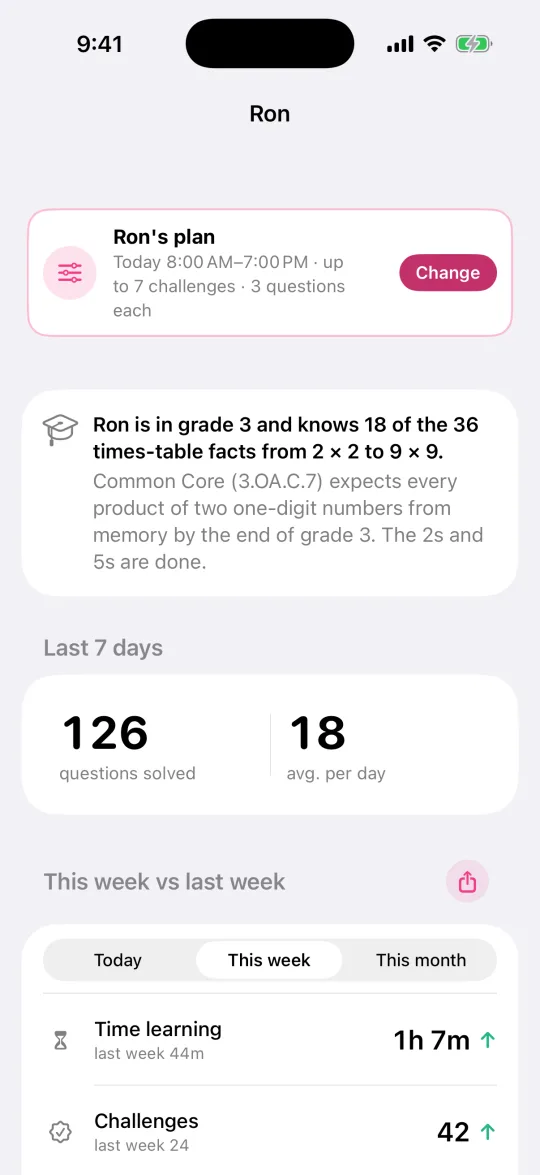
- Set the hours their apps can open — different on school days and weekends
- Choose how long each challenge unlocks for, and how many to ask for in a day
- See real progress: four weeks of practice at a glance, a mastery map of every fact they've learned, and how fast they answer — ready to share in a tap
- Questions made with AI, set to your child's level and raised as they improve
- A 4-digit PIN keeps every setting in your hands
- In English and Hebrew, following the phone's language
- One subscription covers up to six children
For kids
- Short, friendly challenges — 30 seconds, not a lecture
- Stars, ten levels to climb, and a day streak that forgives one missed day
- Pick their own colour theme
- Practice any time for bonus stars
Pricing
One price for the whole family
Not per child. One subscription covers up to six children, on every phone in the house.
Monthly
$9.99/ month
For the family. Cancel any time in the App Store or Google Play.
Yearly
Save 16%$99.90/ year
Works out to $8.33 a month for the family.
How many kids?
Monthly plan, per child
$5.00 a month
Yearly plan, per child a month
$4.16 a month
2 kids share one subscription, so each costs $5.00 a month, or $4.16 on the yearly plan.
Free for 14 days, then the plan you picked. Prices shown in US dollars; the App Store and Google Play show your price in your own currency. One subscription covers iPhone and Android.
Why we built WunderKids
We're parents who got tired of being the screen-time police. Screen Time settings can lock a phone, but they can't make unlocking it feel fair. WunderKids does — a few minutes of learning, in exchange for a few minutes of play, decided in advance, every time.
Questions
Is this a kids app?
No — WunderKids is a parental-management tool, similar to Apple's own Screen Time or Google Family Link. A parent sets it up and signs in with their own Apple or Google account; on the child's phone, every setting sits behind a 4-digit grown-up PIN.
What does it cost?
WunderKids Premium is $9.99/month or $99.90/year, with a 14-day free trial for new subscribers. One subscription covers up to six children.
Does it work with Screen Time?
Yes — WunderKids is built on Apple's own Screen Time (Family Controls) technology, the same system behind Apple's parental controls.
Which languages is it in?
English and Hebrew. WunderKids follows the phone's language, on your phone and on your child's.
Is it on Android?
Yes. WunderKids is on Google Play for Android (8.0 or later) and on the App Store for iPhone (iOS 16 or later). One subscription covers the family on both.
More at Support, or write to support@wunder.kids.